You’re making bets while the signals won’t sit still
A competitor ships a “new” feature that looks like yours, a customer suddenly pauses renewals, and your CEO forwards three headlines before lunch. None of it lines up. You still have to pick a direction, set a budget, and tell a team what to do by Friday.
In this kind of week, the problem isn’t a lack of data. It’s that the meaning of the data keeps changing. Yesterday’s winning play becomes today’s sunk cost if pricing shifts, a regulator hints at new rules, or a platform changes distribution. AI can help you scan and organize what’s happening, but it can also harden a shaky story into something that sounds “obvious.”
So the first move isn’t to ask for the answer. It’s to locate where your decision is actually stuck right now.
Where is the decision actually stuck right now?
Most teams say they’re “waiting on more information,” but the stall usually sits in one of three places: you can’t agree on the goal, you can’t agree on what’s true, or you can’t agree on what you’re willing to risk. It shows up as meetings that keep circling the same slide deck, with new facts getting added but no choices getting removed.
Start by naming the decision in a single sentence that includes a deadline and an owner: “By Friday, we will choose A or B for Q3, and Jamie will call it.” Then ask what would make the choice easy. If the answer is “proof the churn is real,” you’re stuck on validation. If it’s “clarity on margins,” you’re stuck on constraints. If it’s “what we’re optimizing for,” you’re stuck on priorities.
Each type of “stuck” needs different work, and AI can’t fix the wrong one. The fastest way to waste a day is to use AI to generate options when you haven’t agreed on the rules for picking.
When AI is the wrong tool (and how to spot it early)
That’s the trap: generating options feels like progress even when the rules for picking haven’t been set. AI is the wrong tool when the real blockage is authority, incentives, or trust. If the room can’t agree on what “good” means because Sales and Finance get graded on different numbers, a clean AI summary won’t change the fight. It may even lock in the loudest framing by turning it into polished language.
It also breaks down when the question depends on lived context the model can’t see. “Should we cut onboarding steps?” looks like a product problem, but the answer might hinge on a support team that’s already underwater or a partner contract that forbids changes. If you can’t write down the constraint without asking three people, AI will guess.
If you’re asking AI to settle a dispute, predict a one-off event, or bless a decision you already want, stop and change the task.
Turning a messy situation into questions AI can’t quietly hijack

Changing the task starts with the way you phrase the question. In a messy situation, a prompt like “What should we do?” lets AI choose the goal, the time horizon, and even which risks “count.” That’s how a tool meant to help thinking ends up steering it.
Instead, pin the frame before you ask for help. Write three lines: “Decision: A vs B by Friday.” “Success means: keep renewal risk under X while shipping Y.” “Non-negotiables: no price change this quarter; legal review required.” Then turn the mess into questions that have boundaries: “What evidence would confirm churn is real within 72 hours?” “What are three plausible reasons the competitor feature won’t matter?” “If we pick A, what breaks operationally in the first two weeks?”
This feels slow when Slack is on fire. It also exposes disagreement fast, which can be uncomfortable. But that discomfort is the point—because the next step is using AI to surface options without letting it quietly declare a winner.
Using AI to surface options without defaulting to “the best answer”
That “declare a winner” move usually happens when you ask for a recommendation instead of a menu. In a familiar moment—ten minutes before a leadership sync—you paste context into AI and it hands back a confident plan. It reads clean, so the room treats it like the default.
Use it differently: ask for options in named buckets. “Give me 6 moves: 2 conservative, 2 aggressive, 2 ‘do nothing but monitor.’ For each: the key assumption, the fastest check we can run this week, and the likely second-order effect on Support and Finance.” Then force contrast: “What would have to be true for each move to be the wrong call?” You’re not hunting “best.” You’re mapping conditions.
People will try to collapse the list back into one favorite, and AI will happily help. Keep the output rough, then start pressure-testing with counterarguments and base rates.
Stress-testing with counterarguments, base rates, and “what would change my mind”
Pressure-testing starts when someone says, “Option 2 feels right,” and the room relaxes. Don’t let the feeling stand in for a check. Have AI generate the strongest case against your leading option from three angles: “Assume we’re wrong on demand,” “assume we’re wrong on execution,” and “assume we’re wrong on timing.” Then ask it to list the specific facts each counterargument would need to be true, so you can tell opinion from evidence.
Bring in base rates to keep the story from floating. Prompt: “In comparable mid-market product launches, how often do teams hit adoption targets in 90 days, and what usually blocks them?” If you don’t have real comparables, AI will fill gaps. Treat those numbers as placeholders until you can anchor them to your own history or a trusted dataset.
Finally, force a clean mind-change test: “What would change my mind by Friday?” Name 2–3 signals, the owner, and the threshold. If you can’t set a threshold, you’re not deciding yet—you’re debating.
Decision logs and source checks: keeping AI helpful after the meeting ends
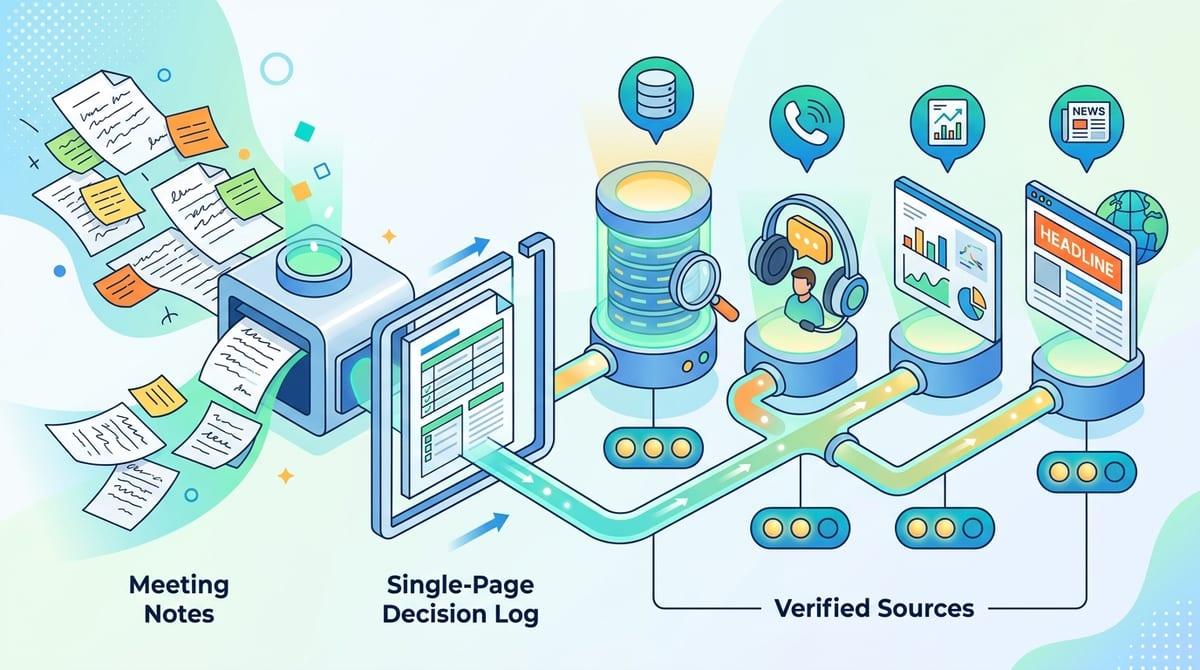
Once you’ve named the mind-change signals and thresholds, the usual failure is simple: nobody writes them down, and the next meeting starts from vibes. Capture a one-page decision log the same day: the choice, the date, the owner, the top three assumptions, the “we’ll know we were wrong if…” signals, and what you decided to monitor instead of act on. Then assign a check-in date, not “later.”
AI helps here as a clerk, not a judge. Have it turn your notes into the log and generate a short list of “sources we relied on,” with a confidence rating you set (internal data, customer calls, analyst notes, headlines). The hard part is source hygiene: links rot, dashboards change, and models will summarize a rumor as fact if you paste it in. Save the originals, and mark anything that wasn’t verified.
With that, you can run a tight review loop without reopening the whole argument.
A repeatable ‘thinking partner’ loop you can run in 30 minutes
That tight review loop is even more useful when you can run it fast, the same way, under pressure. Block 30 minutes: 5 to restate the decision (A vs B, deadline, owner) and list the two non-negotiables; 10 to have AI draft a menu of options with assumptions and a “fastest check”; 10 to generate the best countercase for the current favorite and a base-rate placeholder; 5 to write the decision log with mind-change signals, thresholds, and dates.
One real snag: teams skip the last five minutes and lose the benefit. Make the log the deliverable, not the conversation. Then schedule the next check before you close the doc.