When a long thread starts to wobble
You’re halfway through a planning or writing thread, and the AI suddenly drops a rule you set earlier. It changes the tone, reintroduces options you already rejected, or contradicts a decision you thought was locked in. You end up spending your time policing the process: “No, we agreed on X,” “Keep it under 800 words,” “Don’t use that framework.”
This usually isn’t you being unclear. Long chats stretch what the model can reliably keep “in view” at once, so the most recent messages can crowd out older constraints. The frustrating part is that it can look random: one reply is perfect, the next drifts.
Once you can spot the wobble early, you can keep the thread stable instead of restarting it from scratch.
The invisible limit: what the model can actually see right now
You paste in one more source, add one more requirement, and ask for “the same thing, just updated.” The reply comes back clean—but it’s clean in the wrong way. A constraint you set early is missing, or a definition quietly shifts. That’s often the moment you’ve crossed an invisible boundary: the model can only work with a limited slice of the conversation at a time.
Think of the chat as a working window, not a full transcript. When the thread gets long, older details may fall outside that window, so they can’t influence the next answer. Nothing “broke.” The model is responding to what it can currently see, and what it sees is usually weighted toward the most recent turns—your latest paste, your last correction, the newest goal.
This is why restating key constraints near the end helps, and why piling on long quotes can push out the rules you care about. The next section explains how that last message can end up steering everything.
Why the latest message can override earlier agreements
You ask for a small tweak—“just adjust the intro,” “only swap the examples,” “keep everything else the same”—and the output comes back as if you changed the whole plan. That’s because the model treats your latest message as the most current set of instructions, and it tries hard to satisfy it even when it clashes with older decisions.
If your new request is broad (“make it more persuasive”), it can quietly compete with earlier constraints like tone, length, or audience. Even a narrow request can cause collateral damage if it forces a new structure. For example, “add three more bullets” can push the answer past your word cap, so the model trims something else—often the rules it can’t currently see.
This is also why corrections sometimes “work” once and fail later: you fixed the last turn, not the system the last turn created. The next step is understanding why answers shift even when you didn’t change your prompt.
You didn’t change anything—so why did the answers shift?

You rerun the same question, or ask for “one more version,” and the answer comes back with a different structure, new assumptions, or a missing rule. That whiplash is common in long threads because the model is generating, not retrieving. Small differences in what’s still inside the working window—plus the natural randomness in how wording gets chosen—can lead to noticeably different results even when your message looks identical.
There’s also a quieter culprit: the conversation state can change even when you don’t add new instructions. If the prior reply introduced a new outline, definition, or priority, your “same prompt” is now being interpreted against that newer framing. In practice, this shows up when you approve a draft, then later ask for a “polish,” and it starts rewriting instead of tightening.
The context leaks you can’t see: truncation, summaries, and tool plumbing
You hit “continue,” and the reply comes back confident but off—like it’s working from a slightly different brief. A common reason is simple truncation. When the thread gets long, something has to drop out of the working window, and it’s rarely the newest instruction. It might be the word cap you set 40 messages ago, the examples you banned, or the audience definition that kept the tone steady.
Some chat systems also compress older turns into a short summary to save space. That summary can be accurate but incomplete, and “incomplete” is enough to change decisions. If the summary keeps “write a product brief” but loses “avoid hype,” your next draft won’t feel like a small drift—it will feel like a different writer. You usually won’t see that summary, so you can’t correct it directly.
If the AI is calling a browser, a doc store, or an internal scratchpad, only pieces of that output may get fed back into the next step. Large tables get clipped. Long notes get shortened. The fix starts with treating every long-thread step like it might be working with partial inputs.
Choosing a fix that matches the failure mode
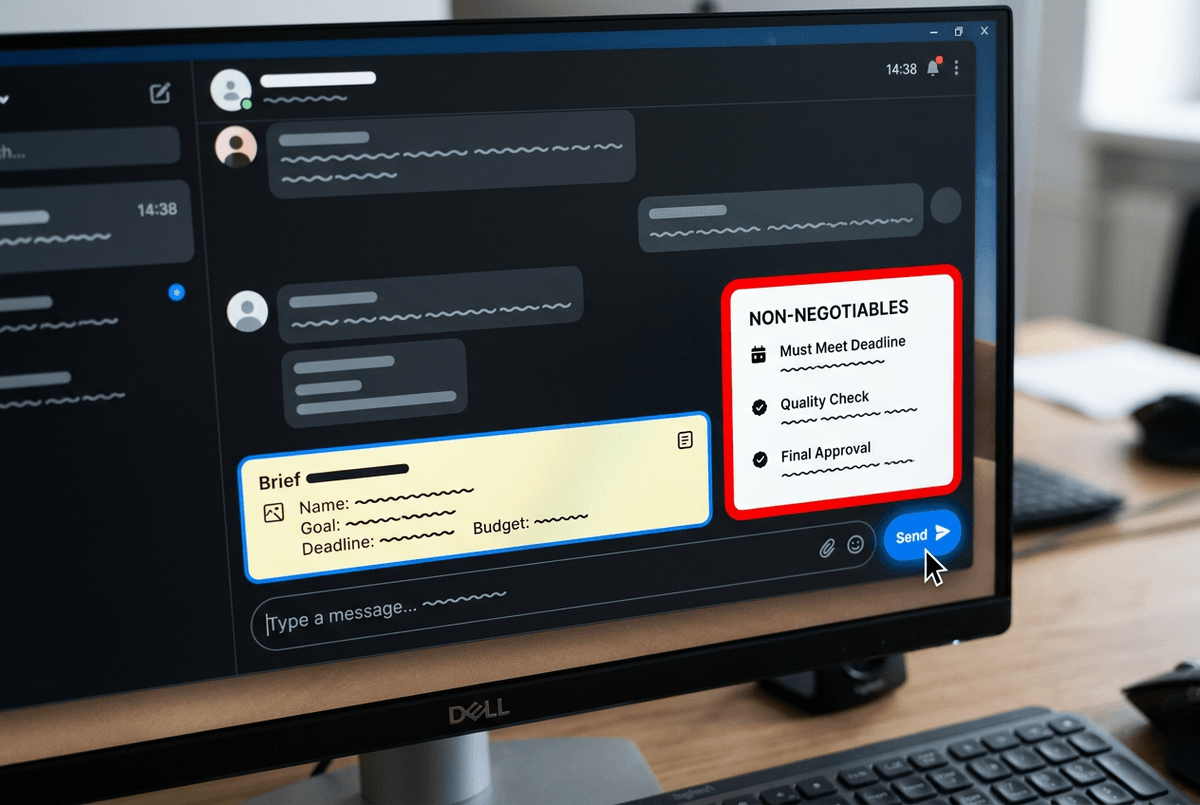
You’re trying to finish a draft and the AI “forgets” the same rule in three different ways: it drops the word cap, it reverts to a rejected option, or it starts using a new tone you never asked for. Treat those as different failures. If it’s skipping constraints, pin them close to the ask: paste a short “Non‑negotiables” block right above your prompt and tell it to confirm it will follow them before writing.
If the problem is drift across steps, stop asking for “one more version” and switch to scoped edits: “Change only the opening paragraph. Do not alter headings, examples, or length.” If the thread is simply too long, don’t fight it—start a fresh chat and carry over a compact brief (goal, audience, constraints, current draft). You’ll spend a minute packaging context, but you’ll save ten minutes of re-correcting.
When the work matters, you want a setup that makes that packaging routine.
A more reliable way to run long jobs with chat AI
You’re deep into a multi-step job—research, outline, draft, revisions—and the thread starts acting like a moving target. A more reliable setup is to treat the chat like a series of short “runs” that all reference the same compact brief. Keep a one-screen project card you can paste anytime: goal, audience, non‑negotiables, current decisions, and the exact deliverable format.
Then work in checkpoints. After each major step, ask for a 6–10 bullet “state” recap you approve, and use that recap as the input for the next run (often in a new thread). You’ll spend a few minutes curating the card. But you stop paying the hidden tax of re-litigating old choices.